
Follow Voice
Your eyes on the words. Your hands off the mouse.
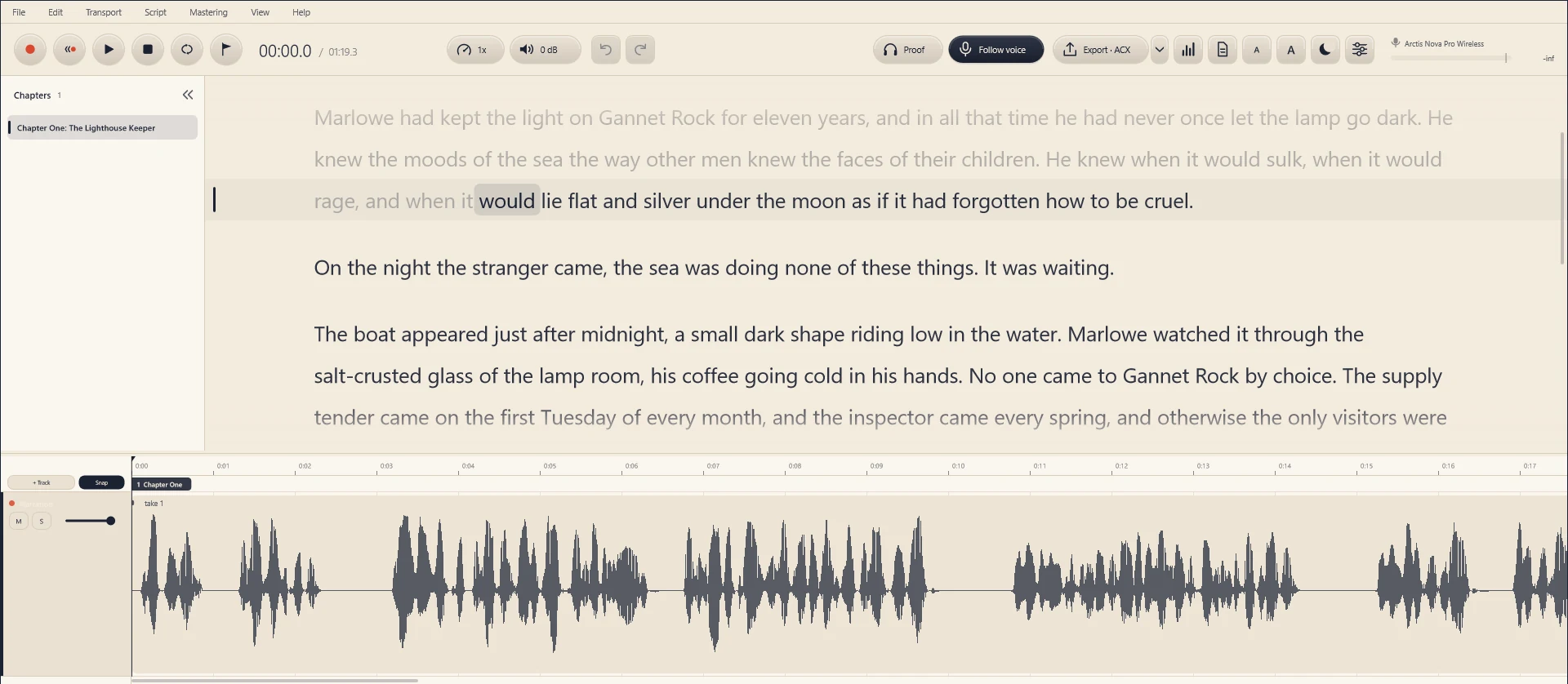
Narration Studio listens as you read and keeps your place in the script, so you never lose your line mid-sentence.
Follow Voice
Stop scrolling. Start narrating.
Press V and read. The script moves with you, line by line, so your eyes stay on the words and your hands stay off the mouse.
- Keeps up with real narration. Skipped words, ad-libs and jumps to another page don’t throw it. A re-read line is flagged as a likely retake.
- Knows what you’ve recorded. A few seconds after each take, every script word is matched to its place in the audio. Recorded words are marked, F3 jumps to the next part you haven’t read yet, and double-clicking any word plays it.
- Runs on your computer. Speech recognition happens on your own machine. Your voice and your manuscript are never uploaded, and it works offline.
Follow Voice and script sync currently work with English narration. Recording, editing and mastering work in any language.
Bring the manuscript you have
Open Word, PDF or EPUB, and your chapters come with it.
Open the file the author or publisher sent. Chapter headings become a chapter list you can jump through. In PDFs, running headers, footers and page numbers are left out and drop caps are joined back to their word, so you read the book and not the page layout.
.docx · .pdf · .epub · .rtf · .odt · .html · .md · .txt · .fountain
Read your next chapter with the script following along.
Free for 7 days, with every feature. No card needed to start.
Download Narration Studio ’27