
Features
One app instead of a teleprompter, an editor and a pile of plug-ins.
Everything between pressing record and handing over a clean chapter.
Record
- One key to record. R records at the playhead. Takes are saved as 24-bit WAV and are never changed by editing.
- Punch and roll. Press P and a few seconds of pre-roll play so you can match your pace and tone, then recording picks up exactly where you stopped.
- Every take kept. Anything you record over stays in take lanes. Swipe across an older take to use that part instead.
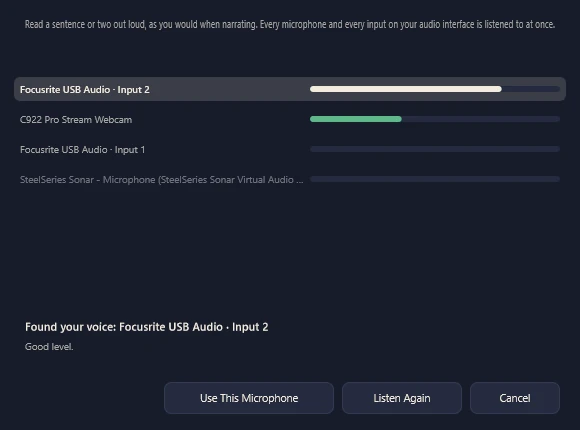
- Find My Microphone. Read a sentence and it finds which input your voice is on and checks your gain. Your mic is remembered and switched back to when you plug it in.
- A setup wizard checks your mic, level and room, and does a test read for the platform you deliver to.
Edit and proof
- Edit by the words. Drag across words in the script to select that audio. Delete a sentence and the cut lands in the quiet between words.
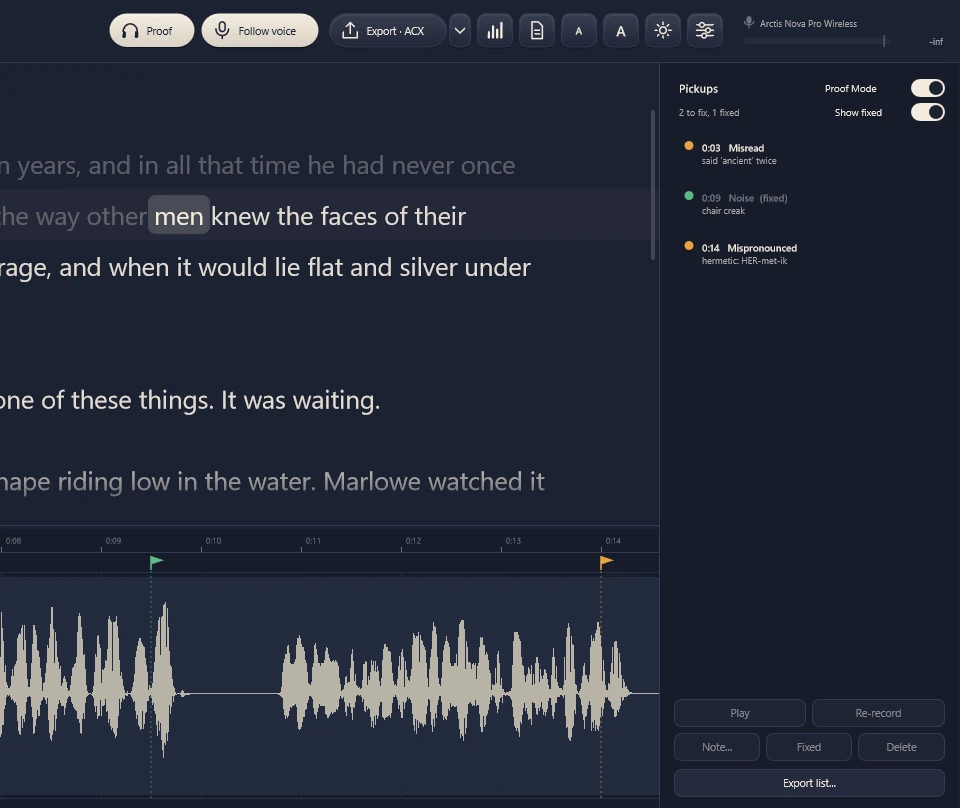
- Proof Mode and pickups. Listen with the script following along, press B at a mistake, and work through the Pickups panel: play, re-record or mark each one fixed. Export the list for your producer.
- Find possible misreads. It compares your recording with the script and flags words that seem skipped, misread or added, for you to check.
- Tighten pauses, heal noises. Shorten long gaps, box a noise in the spectral view and turn it down to match what’s around it, or replace a stretch with room tone instead of dead silence.
- Listen your way. Variable speed without chipmunk pitch, scrubbing, seamless loop, unlimited undo with a history panel, and shortcuts you can change.
Clean up
- Noise reduction learned from your room. Record 10 seconds of room tone, or let it find the quietest moments between words, and it learns what your room sounds like.
- Mouth clicks, breaths and pops. De-click, mouth-noise reduction, a plosive softener, and breath reduction that turns breaths down rather than cutting them out.
- Hum and echo. Remove mains hum and fan whine, and reduce room echo.
- An EQ you can see. Drag the curve over a live spectrum, solo a band, compare A and B, or let it find room resonances.
- Sound the same every day. Match Sessions groups takes by recording day and tells you which ones came out quieter or duller, then matches them to the rest.
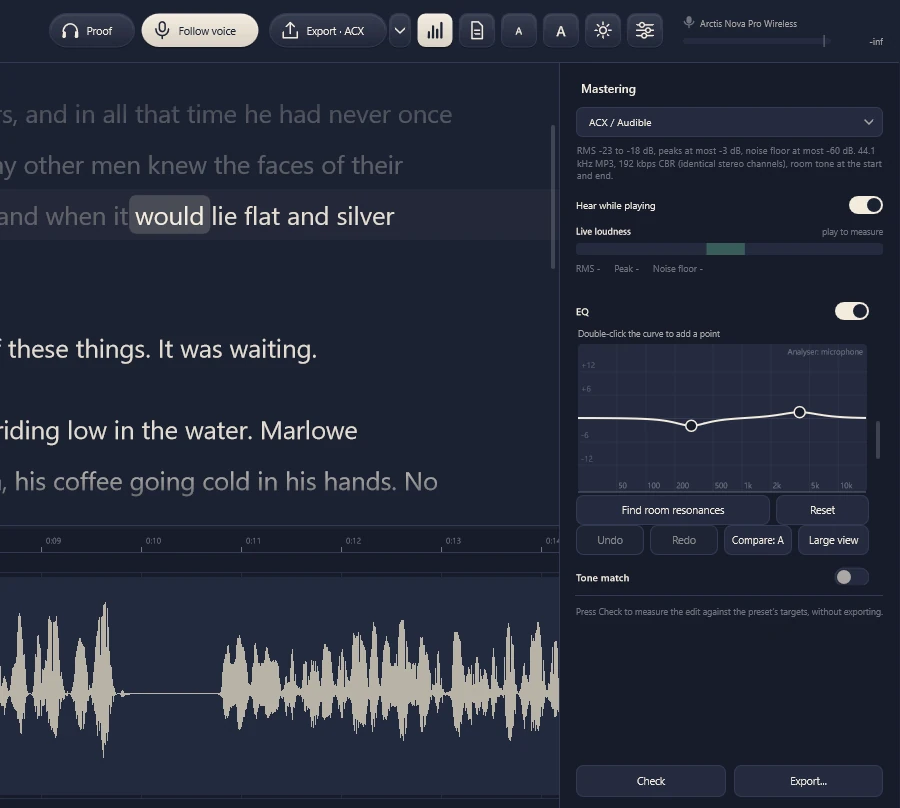
Read your next chapter with the script following along.
Free for 7 days, with every feature. No card needed to start.
Download Narration Studio ’27